Bengaluru · Tuesday, 17 November 2026 · 18:16 IST

The workforce edition

Price: one 30-minute demo

HR MINDS — Talent Your Success!HR MINDSHR, payroll & compliance for Indian businesses

Today’s forecast Biometric sync every 20 min. Next at 18:20 IST.

Book a30‑minute demoSee it on your own data

One system. Zero spreadsheets.

Attendance, leave, payroll and statutory filings for Indian businesses, run from one set of figures on web and mobile.

Bengaluru — Most companies run HR across a biometric device, four spreadsheets and a lot of follow-up. HR MINDS replaces all of it. Attendance flows straight into leave and payroll, statutory returns are generated from the same figures, and every approval, letter and payslip lives in one place.

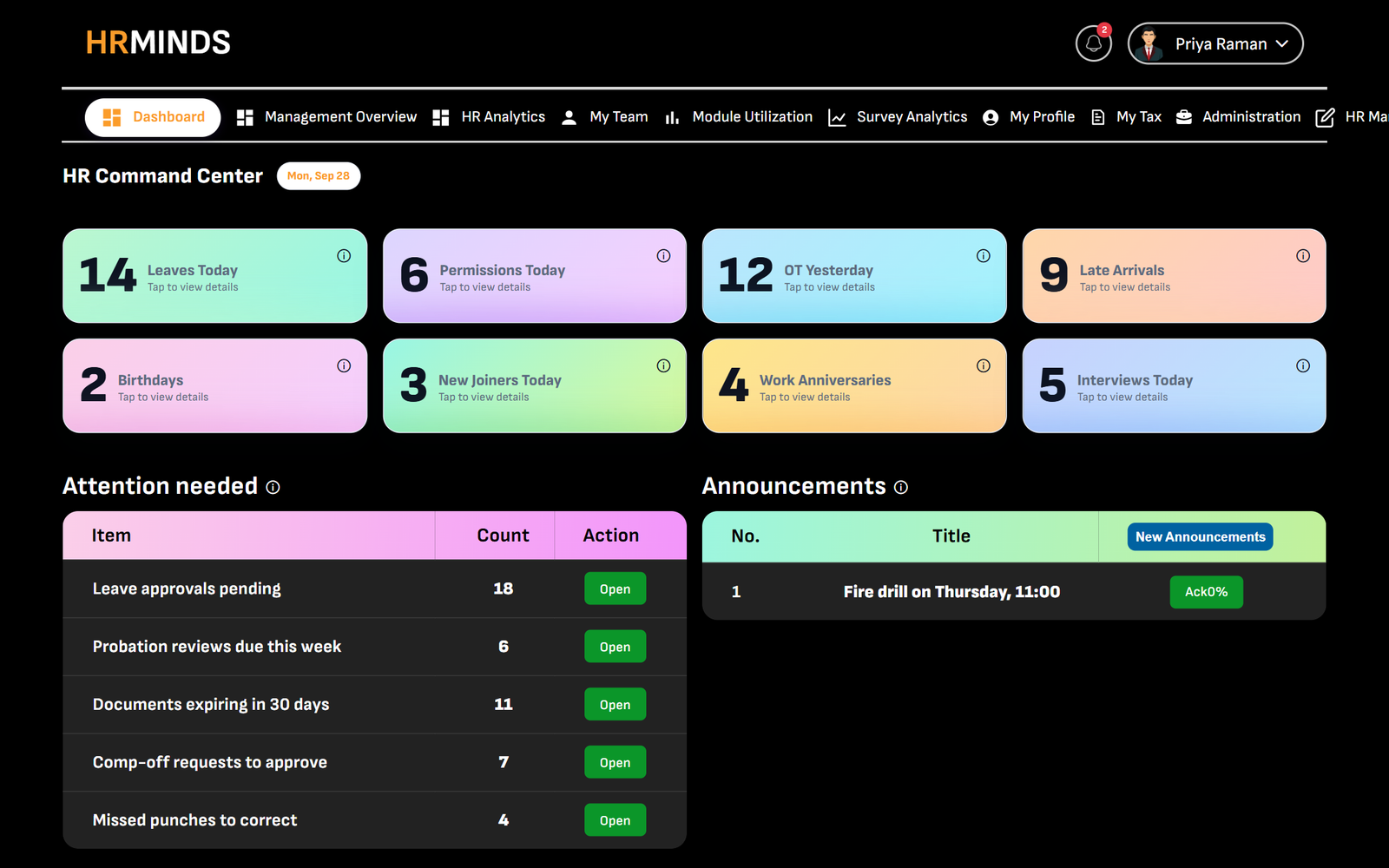
HR MINDS HR Command Center showing leaves, permissions, overtime, late arrivals and an attention list
8:00 a.m., the HR Command Center. Leaves, permissions, overtime and late arrivals, with the day’s attention list, before the morning shift settles in. Demo data.

Watch Under a minute · no sound needed

A day at work, in under a minute.

Follow one leave request the way HR MINDS runs it: from the employee’s phone at 08:04, to their reporting manager, to HR, into payroll, and up to the MD’s morning review. Press play, or let it start as you scroll to it.

08:04 · Check-out

Night shift, 20:00 to 08:00

Counted as 1 shift

Apply for leave Kavya · ICU

Casual leave · 2 days

Thursday and Friday

Submit request

Kavya, an ICU staff nurse, ends a twelve-hour night shift. HR MINDS counts 20:00 to 08:00 as one shift, not two half-days.

Management Page 2

Every rupee and every hour, accounted for.

What the owner or MD sees before the morning review, without waiting for anyone’s report.

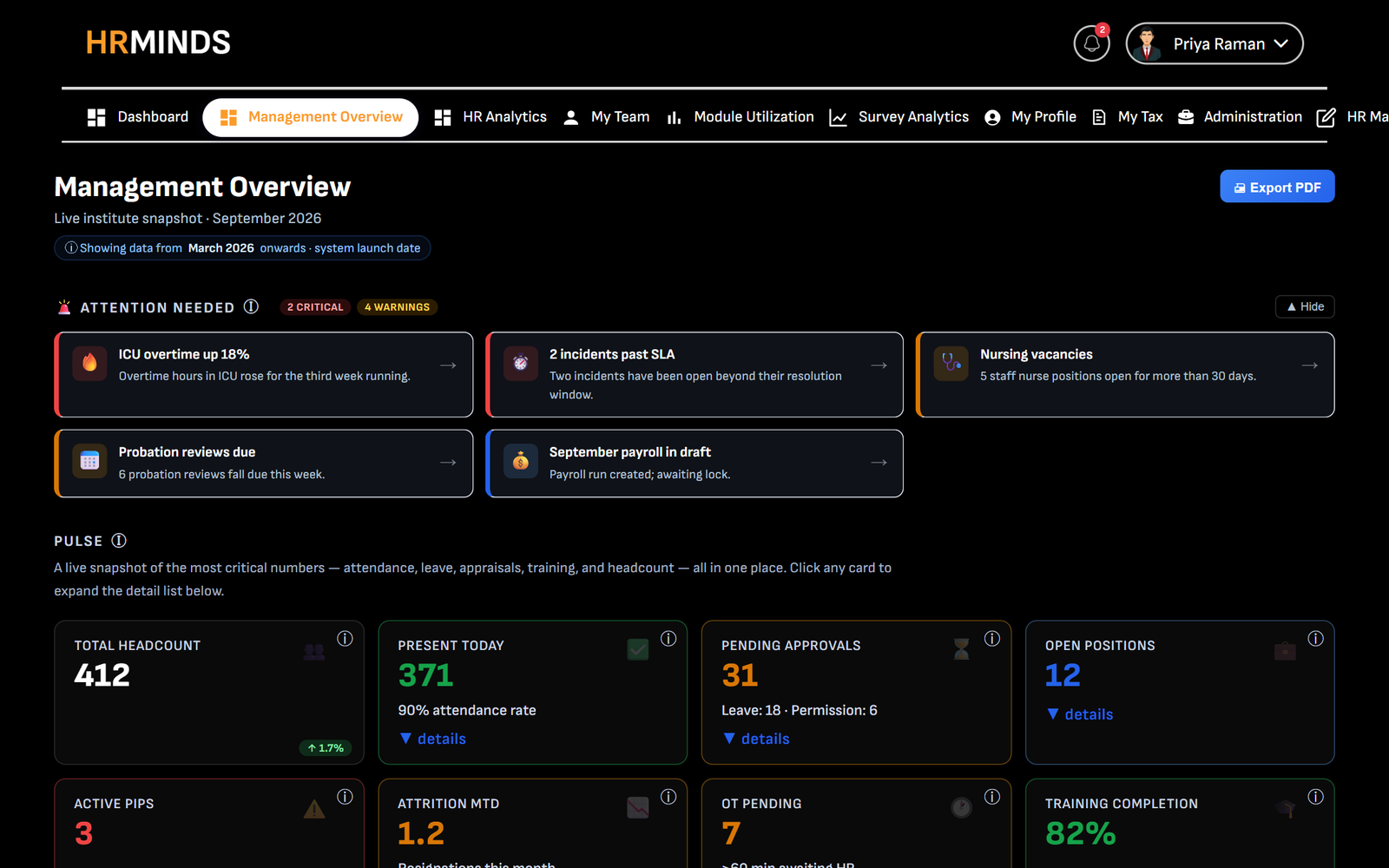
The MD of a business with six branches opens one screen before the 9 a.m. review. Before anyone briefs her, it has already flagged what needs attention: night-shift overtime climbing at one plant, two incidents past their resolution window, positions open for a month.

Below that is the pulse of the company: headcount, who is present today, approvals waiting, open positions, active improvement plans, attrition this month and training completion.

None of it was compiled for the meeting. It is the same data HR, the branches and payroll work from all day, so the question in the review changes from “what are the numbers?” to “what do we do about them?”

HR MINDS Management Overview with attention items and pulse figures
  1. Attention, already flagged. Overtime spikes, overdue incidents and long-open vacancies surface on their own, ranked by severity.

  2. The company’s pulse. Headcount, present today, approvals waiting, open positions, active PIPs, attrition and training, each with its change since last month.

  3. Ready for the board. The whole overview exports to PDF for the review meeting.

Management Overview in HR MINDS. Demo data.

HR desk Pages 3–9

One company’s month, as the HR desk lives it.

Scroll through September. Watch what HR MINDS does on its own, and what HR no longer has to chase.

One company’s month with HR MINDS

The month opens on its own.

Earned leave is credited on the 1st, before anyone asks. HR starts the day on one screen: leaves, late arrivals, overtime and whatever needs attention.

1st · Earned leave accrual. Real HR MINDS screen, demo data.

  1. 1st · Earned leave accrual. The month opens on its own. Earned leave is credited on the 1st, before anyone asks. HR starts the day on one screen: leaves, late arrivals, overtime and whatever needs attention.
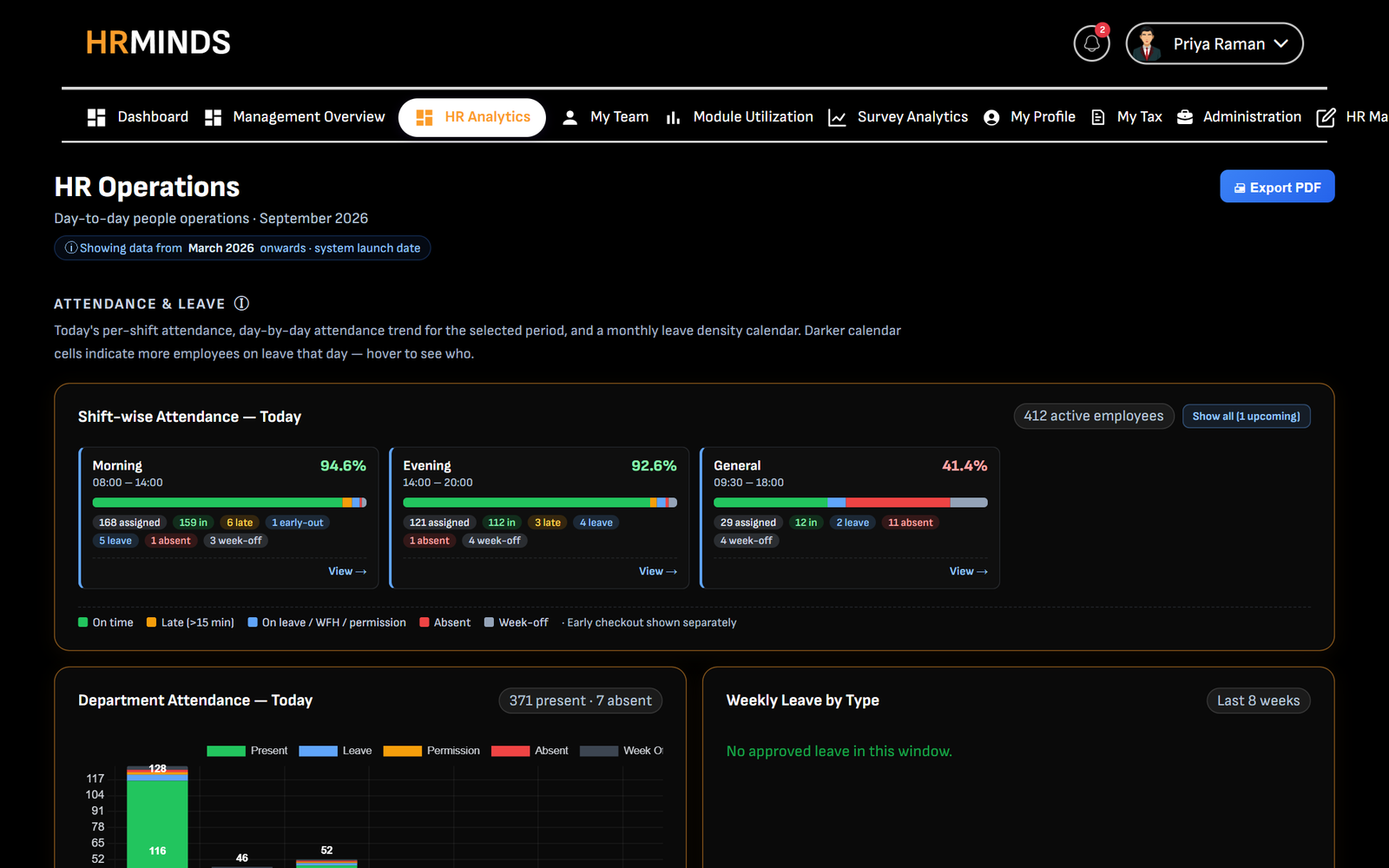
  2. Every 20 min · Biometric sync. Every shift, counted as it happens. Biometric devices sync every 20 minutes. Morning, evening and night shifts show who is in, who is late and who is on leave, department by department.
  3. On punch · Mobile GPS attendance. Field staff punch in from the phone. Field teams and staff working away from the main campus check in with GPS and an optional selfie. The punch lands in the same attendance record.
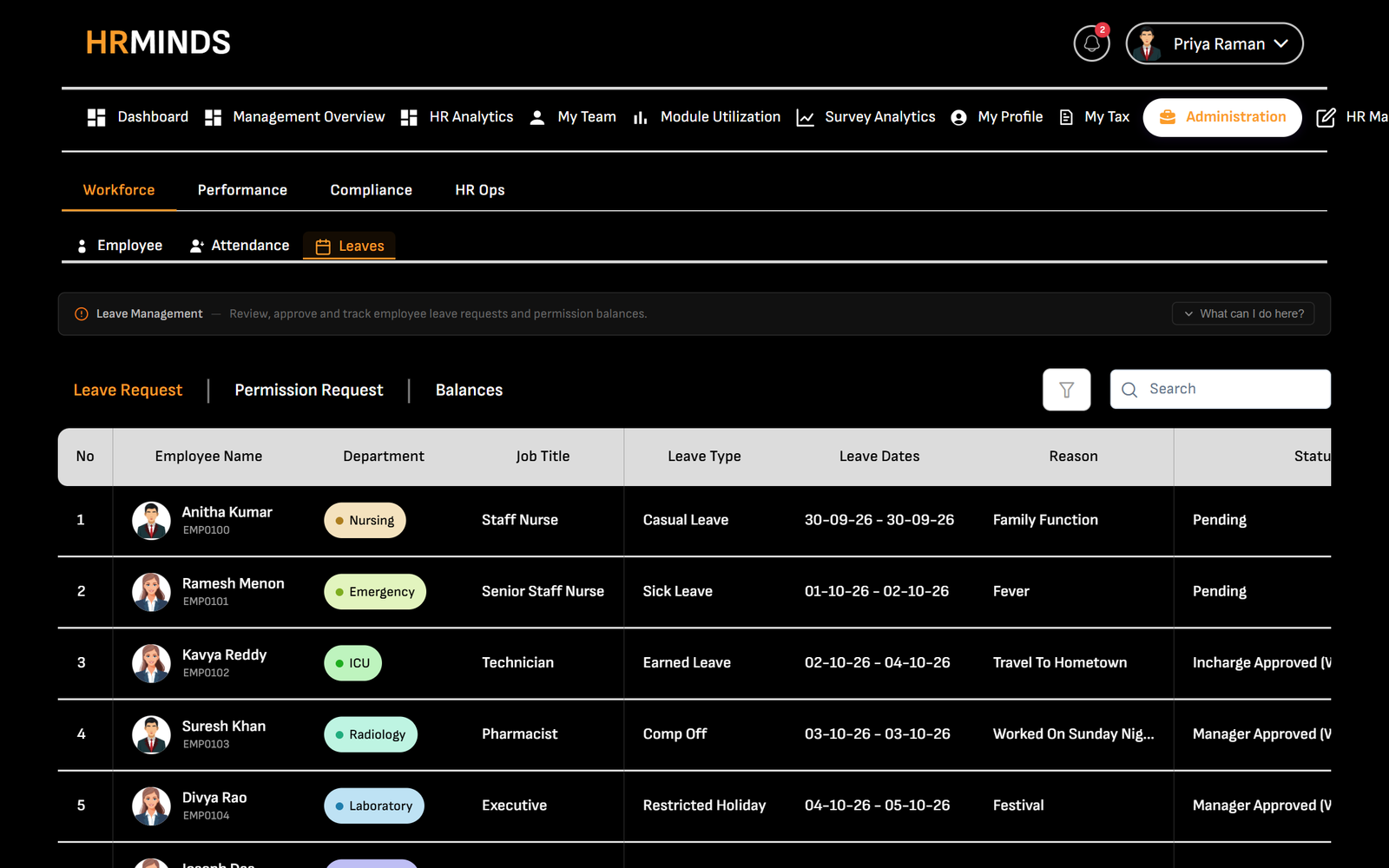
  4. Daily · Approvals and reminders. Leave moves through three desks, not ten phone calls. In-charge, then reporting manager, then HR. Leave that clashes with a punch is cancelled on the next sync, so the month never needs untangling.
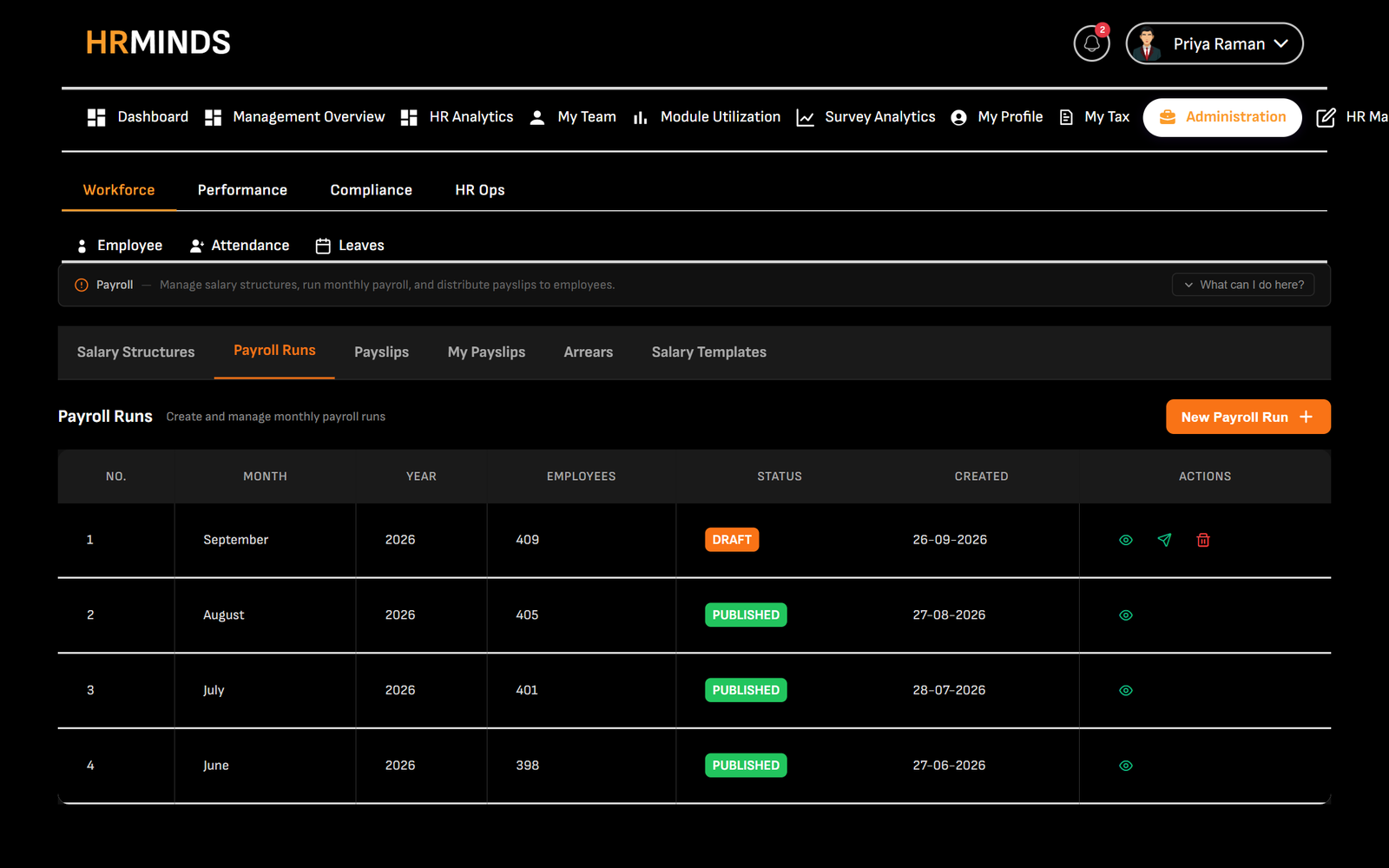
  5. 25th · Payroll run: draft. Payroll reads the month it just watched. The run is created from attendance, leave and approved overtime. It moves from draft to locked to published to dispatched, and finance gets the workbook.
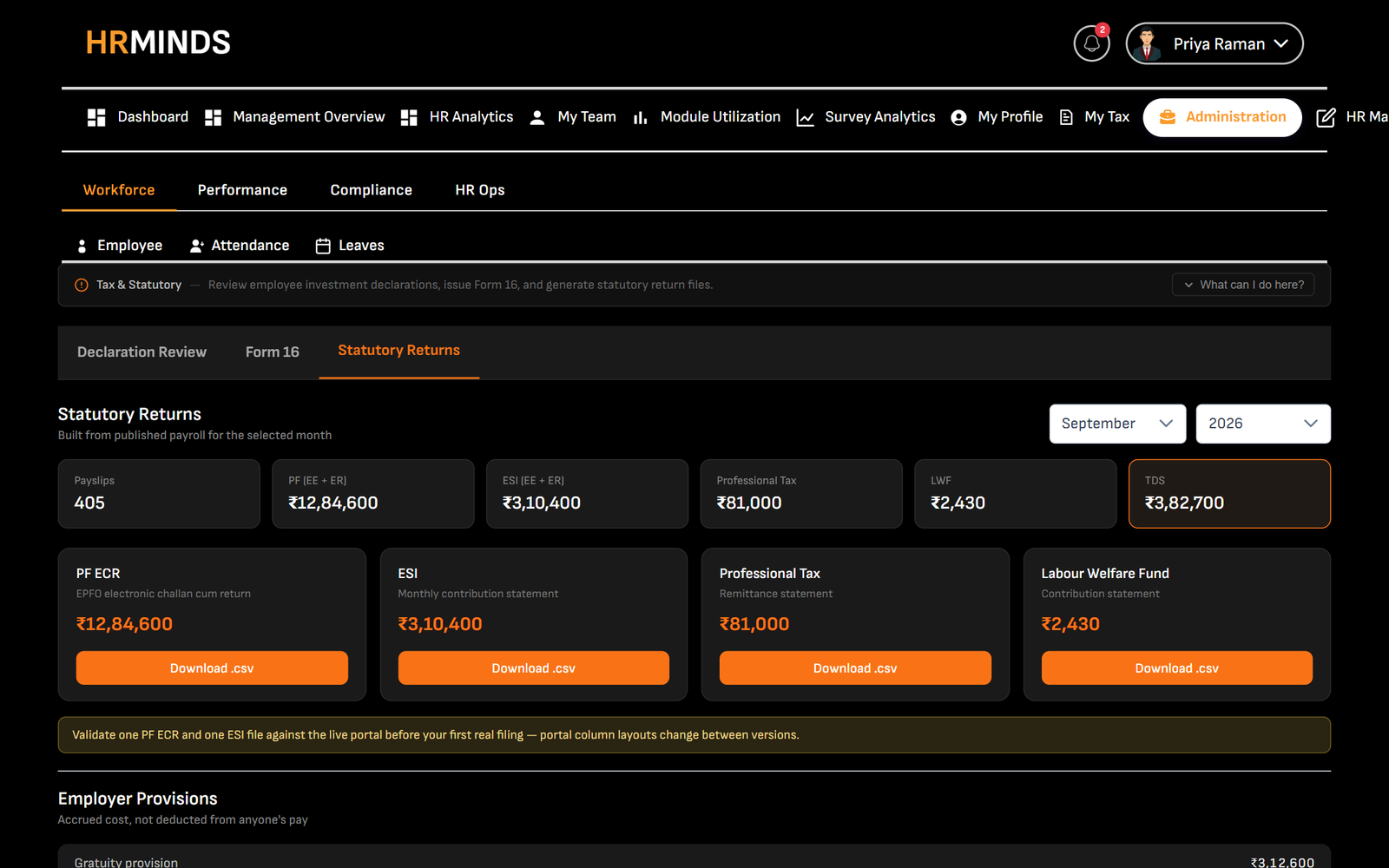
  6. 28th · Statutory files generated. Returns come from the payslips. PF ECR, ESI, PT and LWF files are generated from the published payslips, so the contribution filed matches the salary paid.
  7. 30th · Month closed. Management sees the month, not a report about it. Headcount, attendance, attrition, open positions and payroll cost on one screen, with anything unusual already flagged.

Classifieds Page 10 · 45+ modules in nine sections

Everything your HR desk runs, from requisition to settlement.

Seven roles, three approval levels, one login. Pick a column.

Payroll, tax & money

  • Salary structures
  • Salary templates by CTC
  • Payroll run: draft to dispatched
  • Payroll approval calendar
  • Working sheet in your Excel format
  • Payslips on web and mobile
  • Payroll dispatch to finance
  • Arrears & revisions
  • PF · ESI · PT · LWF computation
  • Statutory return files
  • Income tax & Form 16
  • Loans, advances & incentives

Attendance & shifts

  • Daily attendance, night shifts included
  • COSEC biometric sync
  • Mobile GPS attendance
  • Geo-tracking with consent
  • Force present
  • HR force entry, attributed
  • Shift rosters & monthly lock
  • Shift reports
  • Overtime

Leave & time off

  • CL · SL · EL · CO · RH · ML · PL · LOP
  • Balances, accrual & ledger
  • Entitlement policies
  • Comp-off with 30-day validity
  • Permission hours
  • Work from home
  • Leave encashment
  • Holiday calendar

People & organisation

  • Employee records & bulk load
  • Self-service profile
  • Companies & statutory registrations
  • Masters
  • Role permissions
  • Data scope by branch
  • Letters on letterhead
  • Asset register
  • Archive
  • Access log & security alerts

Compliance & exit

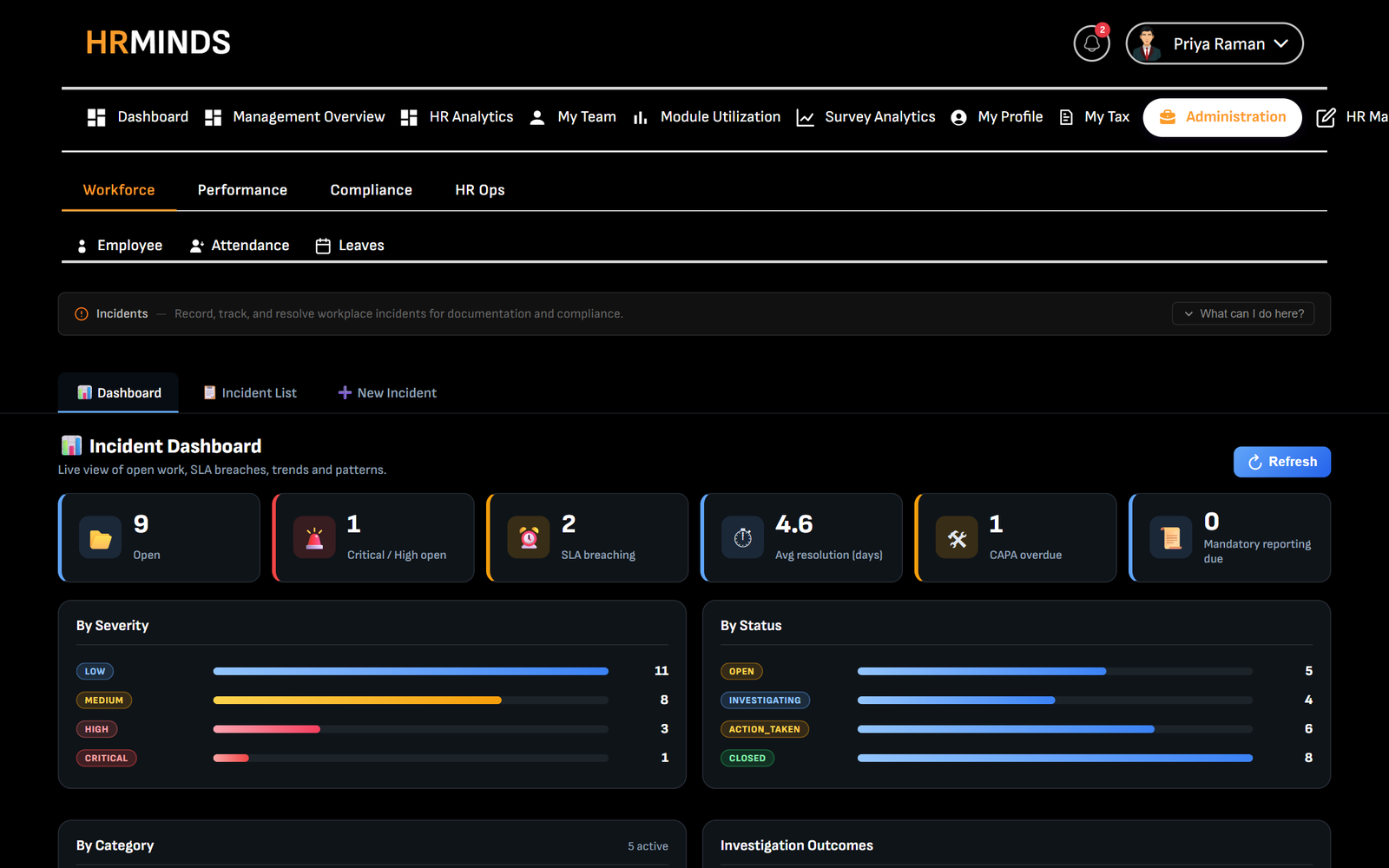
  • Incidents with RCA & CAPA
  • Grievance
  • POSH complaints
  • ICC & GRC committees
  • Resignation
  • Clearance
  • Exit interview & settlement

Recruitment & joining

  • Manpower requisition
  • Recruitment board
  • Interviews with Google Meet links
  • Offers & candidate portal
  • Referrals & verification
  • Internships & stipends

Performance & learning

  • Department scorecards
  • Appraisal cycles at 1 · 3 · 6 · 12 months
  • Managerial appraisal
  • Weekly performance rating
  • Weekly task tracker
  • Performance improvement plans
  • Training
  • Online tests

Dashboards & reporting

  • HR dashboard
  • HR operations dashboard
  • Management dashboard
  • Module utilisation
  • Export anything to Excel

Communication

  • Announcements with acknowledgement
  • In-app & push notifications
  • Employee satisfaction surveys
  • Mobile app

Wanted

30 minutes of an HR Head’s time. We’ll bring a walkthrough on your own data.

Reply to this ad

Editorial Why HR MINDS

We built HR MINDS for shifts, not for nine to five.

Why HR MINDS is built around shifts, branches and statutory filings rather than office hours.

Factories, hospitals, stores, schools and security firms don’t work nine to five. They run shifts across branches, with staff who punch in on biometric devices and on the phone. Most HR software was built for one office and bent to fit. HR MINDS was built the other way round.

Night shifts, rotational rosters and duty rosters are handled as standard. Attendance flows into leave and payroll, and statutory returns come from the same figures, so month-end is a run, not a reconciliation.

“Night shifts are handled as standard, not as customisation.”

A company’s hardest HR moments often aren’t payroll at all. So the difficult cases get proper workflows too: POSH complaints with hearings, incidents with root cause and corrective action, grievances, committees whose composition is checked, and improvement plans with an end date.

It runs on your servers or ours, works with the COSEC devices already on your walls, and is supported directly by the team that built it.

On the phone Android · iOS

In every employee’s pocket, under your company’s name.

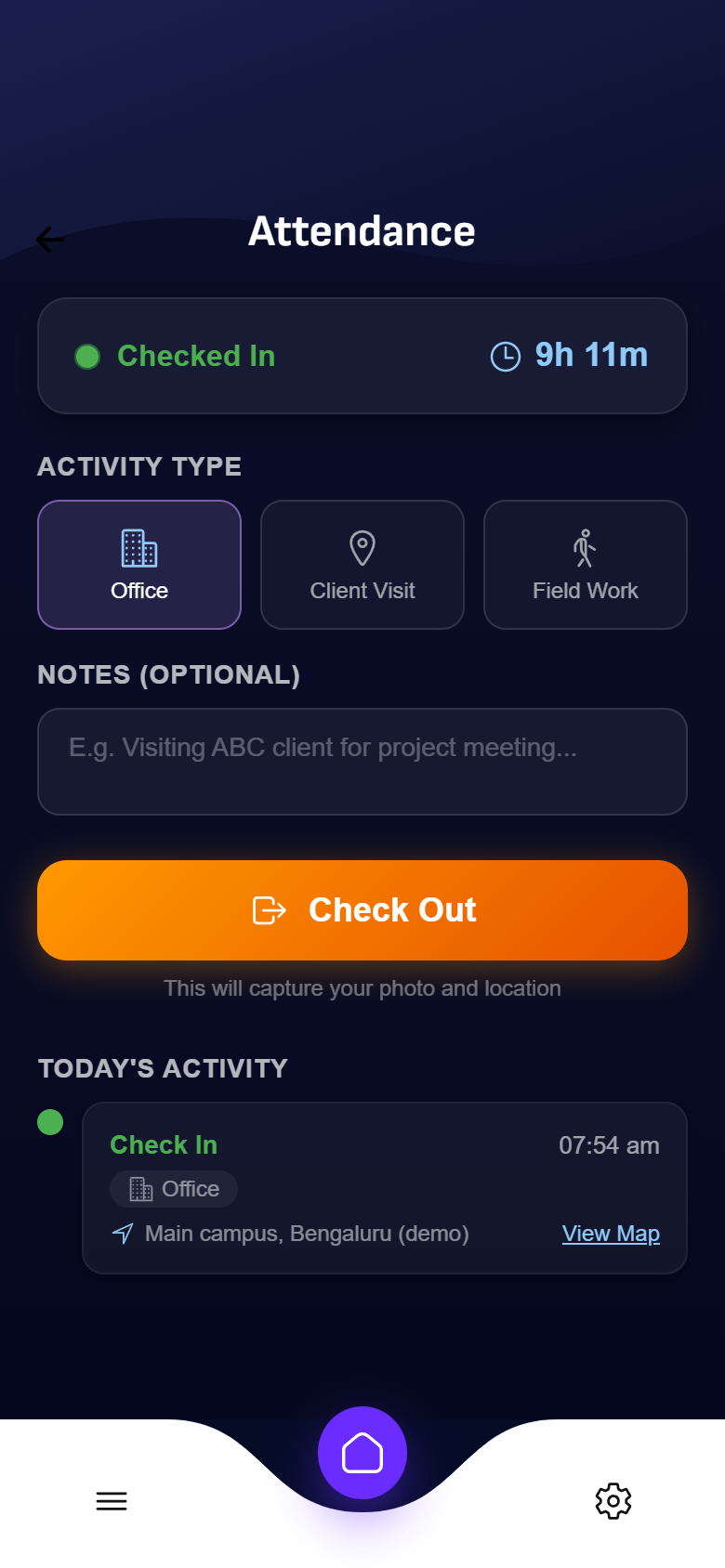
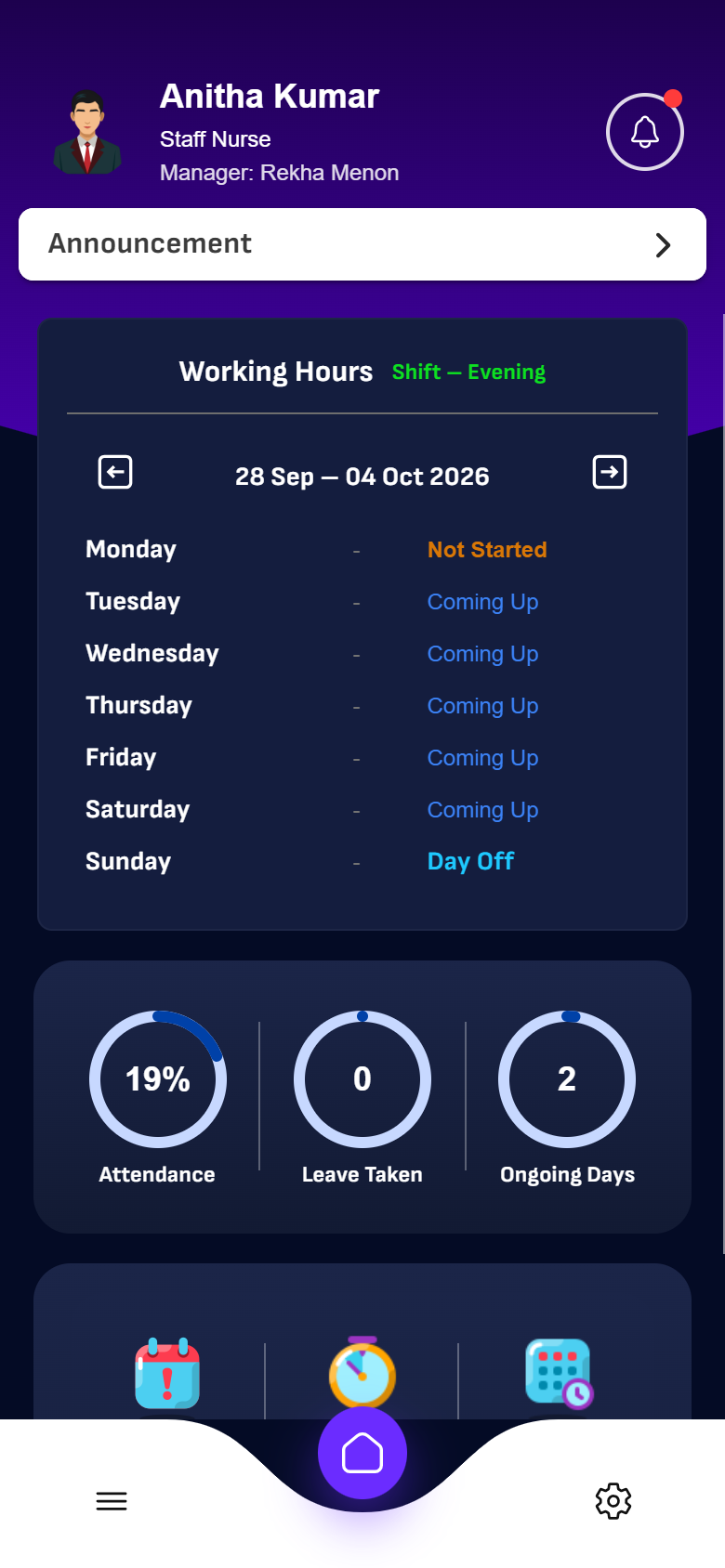
Native Android and iOS apps, branded for your company. Staff check in with GPS and an optional selfie, see their week’s shifts, apply for leave and get notified the moment it’s approved.

Nothing depends on the app. Every task also works on the web, and location tracking runs only with the employee’s consent.

HR MINDS mobile home screen with the week’s shift and working hours
HR MINDS mobile attendance screen, checked in at 07:54 from the main campus

Readiness test Page 11

Run a hospital or clinic? Test your HR readiness.

For healthcare organisations: the free Healthcare HR Process Readiness Assessment from Invention Minds. 35 questions across eight areas, and a readiness score for your institution at the end.

Three of the 35 questions

1. Does your system identify repeated late arrivals / early logouts?

2. Is OT / Comp-Off approved before additional work is undertaken?

3. Are attendance, leave and approved OT data integrated with salary processing?

The eight areas

  1. Recruitment & employee documentation
  2. Healthcare credential & employee compliance
  3. Nursing education, training & competency
  4. Attendance, shift, OT & comp-off
  5. Performance & appraisal
  6. Incident, grievance & employee governance
  7. Payroll governance
  8. Exit & workforce insights

Scores land in one of four bands: Well governed, Partially digitised, Largely manual or High risk.

Take the free assessment

Opens on inventionminds.com.